Winning the Copilot Rollout: Adoption Tactics That Work
Heather Severino
Microsoft MVP







Winning the Copilot Rollout: Adoption Tactics That Work
Get featured on the show by leaving us a Voice Mail: https://bit.ly/MIPVM
This episode explores practical ways to drive Copilot adoption across an organisation. Heather Severino shares clear guidance on identifying early champions, building cross functional readiness, reducing resistance, and designing effective training. She explains how tools such as Loop, Teams, Clipchamp and Copilot features support collaboration, productivity and engagement. The conversation provides a grounded look at how to help teams build confidence with AI and create sustained, secure and well supported usage.
🎙️ FULL SHOW NOTES
https://www.microsoftinnovationpodcast.com/674
👉 What you’ll learn
- How to identify early adopters who accelerate Copilot uptake
- How to design training that builds confidence and practical skills
- How to prepare IT and support teams for Copilot readiness
- How to use questioning techniques to uncover high value use cases
- How to support teams with tools like Loop, Teams and Clipchamp
✅ Highlights
- “You want to find the people that are curious about it.”
- “Success to me is that they’re using it, looking at those reports.”
- “We want to come up with a policy for usage and have some of those guardrails in place.”
- “They wanted to have everything in place before they did it.”
- “Find the people that are curious about anything that is cutting edge.”
- “Those are usually the people that are going to want to dig in and learn.”
- “I am getting more questions about agents recently.”
- “The facilitator agent is also great about keeping you on track.”
- “There is some confusion about OneNote and Loop.”
- “I would love to see more crossover and uniformity.”
- “Create was one of those aha moments.”
- “Clipchamp has a lot of the AI capabilities built into it.”
🧰 Mentioned
- Microsoft 365 - https://www.microsoft.com/en-us/microsoft-365
- Copilot - https://copilot.microsoft.com/
- LinkedIn Learning - https://www.linkedin.com/learning/
- Microsoft MVP YouTube Series - How to Become a Microsoft MVP - https://www.youtube.com/playlist?list=PLzf0yupPbVkqdRJDPVE4PtTlm6quDhiu7
✅ Keywords
copilot, adoption, microsoft 365, loop, onenote, teams, clipchamp, training, ai skills, power platform, productivity, change management
Microsoft 365 Copilot Adoption is a Microsoft Press book for leaders and consultants. It shows how to identify high-value use cases, set guardrails, enable champions, and measure impact, so Copilot sticks. Practical frameworks, checklists, and metrics you can use this month. Get the book: https://bit.ly/CopilotAdoption
I’m Mark Smith - nz365guy - Helping people reach their full potential.
I have been a Microsoft Applications MVP for over 14 years. I am passionate about helping people reach their full potential, through training, coaching and mentorship.
Accelerate your Microsoft career with the 90 Day Mentoring Challenge (https://www.90daymc.com/)
Support the show (https://www.buymeacoffee.com/nz365guy)
If you want to get in touch with me, you can message me here on LinkedIn (https://www.linkedin.com/in/nz365guy).
Thanks for listening 🚀 - Mark Smith
00:00 - From Childhood Passions to Tech Leadership
02:14 - Curiosity as a Career Catalyst
04:32 - Becoming a Global Tech Educator
05:53 - Copilot Adoption: Strategy Over Features
09:47 - Unlocking Aha Moments Through Better Questions
13:22 - Agents, Teams, and the New Age of AI Assistants
16:42 - Loop vs. OneNote: The Future of Workflows
00:00:06 Mark Smith
Welcome to the MVP show. My intention is that you listen to the stories of these MVP guests and are inspired to become an MVP and bring value to the world through your skills. If you have not checked it out already, I do a YouTube series called How to Become an MVP. The link is in the show notes. With that, Let's get on with the show. Welcome to the MVP Show. Today's guest is from Florida. Heather, welcome to the show.
00:00:42 Heather Severino
Thanks for having me.
00:00:43 Mark Smith
Good to have you on. You've got an interesting career across a range of topics that's of interest to me, particularly at the moment. Before we start, though, tell me about food, family, and fun, and what do they mean to you?
00:00:55 Heather Severino
Food. I grew up doing a lot of baking with my grandmother, so that kind of ties into family as well. I was in 4-H, I'm not sure if you have 4-H over in New Zealand. No? Okay, so it's a... It's a community-driven group, youth group, I guess you would say. So all sorts of things that you can do, competing in fairs, whether it's your sewing, baking, raising animals, all of that. So yeah, I was very involved with the baking and the sewing. So that's a big part of my love for food and what I like to do a little bit in my downtime as well.
00:01:28 Mark Smith
Nice, nice, nice. Now, I want to get on to discussing Copilot with you, but before we go there, You haven't mentioned the fun stuff, and I assume scuba diving comes into the mix there.
00:01:42 Heather Severino
It does, and food does too. I just got back from a wonderful vacation to Italy. My husband is American-Italian, so nice family trip with them, and food was definitely a big part of that. Great food there. Scuba diving, yeah, love scuba diving. I was going to be a marine biologist when I was in high school and college. That was my focus, and so that kind of fulfills that as a hobby for me, and I love to travel. So it's kind of a great blend. Haven't been able to go diving around New Zealand or Australia yet, but it's on the bucket list for sure.
00:02:14 Mark Smith
Well, when you come and dive here, my property looks out over the Pacific Ocean and I look at some islands called the Poor Knight Islands. And Jacques Cousteau rated in his top five dive sites in the world. I think it's got one of the biggest underwater caves that, and when I say underwater, like you can take a boat inside the cave So it's not that you have to swim down into it, but it's just, it's all a marine reserve and it's at the bottom of kind of the Pacific Trench. And so we have a lot of tropical fish that never spawn. In other words, the eggs come down this trench in this warm current. So we have these tropical fish, but they never produce. because the temperature's not right for them once they hit this water, but they can live in the water. So it's quite a diverse marine life. Both my wife and I have done our open water ticket dive, and we did all our dive training out there. So very nice.
00:03:15 Heather Severino
Yeah, perfect place for that.
00:03:17 Mark Smith
Tell me about where in Italy did you go?
00:03:21 Heather Severino
Tuscany region. So just outside of Luca.
00:03:24 Mark Smith
Yeah. Lovely. Lovely. Lovely.
00:03:26 Heather Severino
Nice and cool.
00:03:27 Mark Smith
Yeah. It's Megan, my favorite country, without doubt. And just actually another little tidbit on the diving side. There was an MVP who is no longer an MVP because he went to work for Microsoft, and he runs a YouTube channel on diving. And it is massively popular as a, he's based in Atlanta. And it's like, I think it's like got over a million subscribers and stuff on it. is massive. And so he was an MVP for BizApps, right? Dynamics 365 thing. And so he was doing a lot of YouTubing there. And then he got into diving. Each year he set himself the task of doing a new skill. He did air, you know, learning to fly one year. That didn't stick, but the scuba diving did. And it's just amazing how he's carved out. His hobbies become even an income earner now for him, which is pretty phenomenal. Tell me about LinkedIn Learning. You've done some authoring there.
00:04:32 Heather Severino
I have, yeah. I've been authoring courses for them for about 7 years. I'm actually working on updating a course this week. So you might see the same headset, the same pink blouse in those videos this week because I just kind of wrapped up for the day. But I love it. Yeah, it's a great opportunity to kind of share my skills. I loved talking as a kid, got in trouble in school a lot for it, but I like to think that I've turned that into public speaking and being able to be social and really know how to communicate with others. So I think it's a great fit. So yeah, a lot of things about Microsoft technologies, including Copilot as one of those, and then some other things outside of Microsoft. I like to kind of venture out and try some other new things as well. Yeah.
00:05:15 Mark Smith
So what are the main things that you're focused on at the moment from a tech perspective?
00:05:20 Heather Severino
I would say Microsoft 365 all up, Copilot, getting a little bit into more things with Power BI and Power Platform, and then things outside of Microsoft Canva, because that kind of ties very nicely into things you would use in comparison to PowerPoint or different ways that you might be able to use it for graphics design.
00:05:40 Mark Smith
Interesting. And specifically in the Copilot space, what's your focus? Is it how to use the tool? Like, is it adoption? Like, what's the lens that you take on it?
00:05:53 Heather Severino
Yeah, I would say it is definitely adoption. So training and consulting, so helping organizations. figure out how best to set everything up, what's going to work well as far as how to set the teams up and which of the copilot features are going to really hit home depending on what business unit they work in or what job role that they're in. So kind of figuring those things out and then able to be able to set up an adoption effort for them and help them with all the training efforts that go along with that too.
00:06:21 Mark Smith
So what does success look like when it comes to a good rollout of Copilot?
00:06:26 Heather Severino
I definitely would say you want to find the people that are curious about it, right? Those are your early adopters and become your champions. And that's key in order to have the success. You want others to be able to drive that excitement and help everyone else understand what's going to be really beneficial to them within each of those departments. But success to me is that they're using it, looking at those reports, those metrics to see that they really are embracing it and fully and what areas can we improve upon, or that'll help shape the next phase of it, or how we want to work on it more?
00:07:00 Mark Smith
Is there any resistance? Is it inside corporations, as into AI in general?
00:07:06 Heather Severino
I would say that there's always resistance when it comes to change, right? Anytime that you... want to drive that change or help them understand how it's going to help them to be more efficient and productive or creative or whatever it is that can help with that. And AI can be all of those things. You're going to have that. And then, of course, through the media lens, sometimes we're hearing about all these fearful things that we need to be concerned with when it comes to AI. And I'm not saying that we shouldn't be concerned, but we really need to help everyone understand how it's secure and how they're being transparent about how they're developing it and ethically and all of the things that I think Microsoft is doing a good job of really building into AI.
00:07:47 Mark Smith
Do you have any like edge cases where people are just flat out, I'm not touching it type thing? They're like, they're totally opposed to it. How did you handle it?
00:07:57 Heather Severino
Yeah, I don't think I've had any of those cases yet. You know, I think that it was slow. slow role there for a little bit of getting some of the companies that I work with to adopt it. And I think that was more from a perspective of we want to come up with a policy for usage and have some of those guardrails in place before we deploy this. We want to make sure that IT has fully vetted it and have our testing of it, which I completely get. So yeah, just From that perspective, I think it was they wanted to have everything in place before they did it. They didn't want to just kind of flip a switch and say, Here you go, have at it. So I think that's a great approach. Where I do see that there's a little more caution would be those that are in the financial sector, the legal sector, your legal firms, engineering, any of those where you have more stringent regulations or lots of other parties involved that it can affect. So yeah, but they're starting to adopt it now too, and we're seeing great things from it.
00:09:02 Mark Smith
In your mind, what are the things that you need to put in place when taking a company on this journey? That you know that you, if they follow the things that you teach and that you cover, you're gonna set that company up for growth, success, adoption, all those great things. What do you want and kind of even what order you do want to establish things to kind of get that team on board and really getting to the point where they'll be a good reference. And I'm not talking about the company, but I'm talking about the individuals being a good reference to their colleagues of the technology and, you know, to drive adoption.
00:09:47 Heather Severino
I think it really is effective questioning techniques, interviewing some of these folks at the company to find out what are going to be those aha moments, those wins for them. If you're able to find that, then you're definitely going to get them to adopt it much quicker and retain the knowledge that you're trying to transfer to them on how to best use it, and I think that those are the things that you want because then they become a storyteller and they're going and they're saying, Hey, you're not going to believe what I just discovered. Look at what it does for me and I think that you're doing similar type of work that I am and let me show you. It's that let me show you that I think really is going to help with the recommendation part as far as what you're saying. If they hear it from a colleague, they're going to take a lot more from that than if I just try to say, Hey, this is really cool. Let me show you why. I like them to be able to have that self-exploration where they have that aha moment And they're like, Okay, I get it. And now I want to be able to help everyone else understand it too.
00:10:46 Mark Smith
What role does IT play in adopting Copilot?
00:10:50 Heather Severino
Many roles. Of course, you need to definitely have your help desk, your tier one and tier two teams up to speed on being able to help answer everything and help fix everything when they call in. So you definitely have a different type of a trainer. training that I think you would offer there, more technical training to make sure that everyone is ready and prepared for that. And then they also can be your cheerleaders. They can be the ones that are helping to champion what your initiative is of getting everyone to adopt it as well. I do think that it's also important to do some of that cross-functional training or those those immersion type of experiences, if you will, where you can help IT and finance or IT and HR or whoever it is, understand the benefits there and that kind of helps to build that bridge of support.
00:11:40 Mark Smith
What about a community inside the organization? How do you foster that community growth? How do you identify who are kind of your natural born leaders or adopters, rapid adopters of the tech?
00:11:57 Heather Severino
I would say anyone that is curious. find the people that are curious, the ones that are curious about anything that is cutting edge that's coming out, whether that's technology or other things that they're working with in their industry. Those are usually the people that are going to want to kind of dig in and learn and figure things out and discover how that's going to best work for them.
00:12:20 Mark Smith
And you're seeing any kind of people transitioning more into the identification? side of Copilot or is it mainly researcher and just general day-to-day use within the office suite of apps or are you seeing more people stick within the web version? What's or teams? What are you commonly seeing?
00:12:46 Heather Severino
Yeah, I think that a lot of the people that I'm working with are still heavily working with the desktop apps, so they definitely are working with Copilot there. They are working with it in Teams, so whether that's on the rail or if they're working with it directly from where they're chatting or posting, whatever it may be. in the meetings, they're using it. I am getting more questions about agents recently. So there are those that are curious about it and wanting to know what's available and how to use it. The one that I've been playing with most recently is the facilitator agent in the Teams meetings. Have you tried that one out yet, Mark?
00:13:18 Mark Smith
No, I haven't tried it, but I've seen it in there, but not had it on yet.
00:13:22 Heather Severino
Yeah, I think that it's brilliant. You've got this new little timer that you can turn on in the meeting, so you can set it for so many minutes, but what I really like about the facilitator agent is You can turn that agent on before you start the meeting or when you're in the meeting, and it becomes an AI person in your meeting. So you can chat to the facilitator and ask questions and get answers. Then you can also say, hey, can you set a timer for me? And it will turn the timer on for you. If you're using Loop components when you're setting up your meeting based on the agenda that you build, it has a timer that pops up at the top that shows the segments that you have for the timing, and then you can actually see a little countdown timer during that segment. So the facilitator agent's also great about kind of keeping you on track with your timing and yeah, it's really brilliant.
00:14:12 Mark Smith
I'm glad you brought up Loop. What are your thoughts on Loop?
00:14:18 Heather Severino
I don't know if you've watched any of their interviews with me or read anything, you might already know my thoughts on Loop. I like, okay, all right, well, let's talk about it then. Loop, it's new. I love Loop. I definitely see some great use cases for it. There is some confusion about OneNote and Loop of when do I use which one? What are the difference in capabilities? Is there anything that would help me to understand for a certain scenario that I should use this one versus this one? So I think it's great in the way that it's set up as far as being a Loop workspace, and you can manage the permissions for that, and you can kind of take your meeting notes and bring those Loop components and put them into that workspace, so it's very similar to a OneNote notebook. Where I think that it needs a little more powerful capabilities or that it's lacking, or I'm hoping we'll see them soon, is digital inking. So if you like to do the digital inking in OneNote, it's not there in Loop yet, and I'm hoping the canvas will become more free-form. So in OneNote, we're able to kind of click wherever we want, and that becomes our text container, or put that photo here, that screenshot there. And in Loop, it's kind of more like a Word document, that left to margin, paragraph format. So it's got some great things, some great wins that OneNote doesn't have and vice versa. But I do think that I would like to see some more of those capabilities in OneNote as a power note taker there come over to Loop as well.
00:15:44 Mark Smith
What about if they just gave you a widget that allowed you to embed OneNote into Loop?
00:15:50 Heather Severino
Well, you can kind of do the opposite. So you can take your Loop components and have them in your OneNote pages, right? I'm not sure. I guess I'd have to see how that widget would look. Is it going to just be containers? Is it going to be a page? Is it going to be a page subpage structure, a whole notebook? Yeah, I'd have to see it.
00:16:10 Mark Smith
Yeah, interesting, interesting. I definitely use it extensively 'cause I try, when Microsoft bring out something queue, I wanna really, really try it. And I was a massive user of OneNote prior for years. that's been out there, but definitely like even my notes for this episode is all running in loop. I've definitely leaned into it. There's a bit of confusion though around loop and pages when it comes to Copilot as well. What are your thoughts there?
00:16:42 Heather Severino
Yeah, so are you meaning like the Copilot notebooks or, yeah.
00:16:46 Mark Smith
Yeah, the notebooks and the pages functionality, you know, you've got pages and they're similar to loops in what they do, but they're called pages.
00:17:01 Heather Severino
Yeah, I wish that we had different terminology just to kind of keep everything separate. So Copilot Notebooks, very similar name as to OneNote Notebooks, just as far as differentiating those. And then maybe from a file type too, as far as what file types they are. Yeah, pages, similar thing. I think that they all have great purposes and were designed for very specific use cases that we definitely need. But I would love to see more crossover and uniformity or different terminology just to help our end users know what they're working with and where to find things and what the capabilities are.
00:17:43 Mark Smith
Yeah, nice. When you want to excite a new audience on Copilot, what's your show and tell schedule? You know that you're going to get the audience buy-in when you show these features, functionality, that type of thing.
00:18:02 Heather Severino
Yeah, when it first came out, Create was one of those. Because oftentimes, what you want to create, but what's the best platform for that? Or what's the best file format for that? When that first came out, I really liked showing that because I'd be like, hey, I need to create this. And then it tells me, here, I can turn it into an Excel workbook, a OneNote notebook, a Loop workspace, and this is what it's going to look like. And then you can kind of pick what you want and tailor it a little more. recently with the changes they've made to Create, one of the things that I like to show is how we can quickly create a video just with a prompt. And it could be something as simple as saying, show me how to play the piano or create this video that gives me five tips to help me learn how to play the piano quicker. And it's using Clipchamp to help create that video. And you get a video along with audio narration and a transcript, and then you're able to open it in Clipchamp if you want to do more editing on it. So to me, it's kind of one of those aha moments, especially for the folks that are creating a lot of training, whether they're in HR or a different department in their organization, this can kind of help get them started with whatever it is.
00:19:11 Mark Smith
I like it. Now, with your exposure with other tools outside Microsoft, and this is my last question as we draw to time, is what's your video editing tool of choice?
00:19:25 Heather Severino
I've used several, but the one that I've been working with more recently is TechSmith Camtasia. That I would say.
00:19:31 Mark Smith
Wow, that surprises me.
00:19:33 Heather Severino
Yeah.
00:19:34 Mark Smith
And that's the OG, right?
00:19:36 Heather Severino
It is the OG, yeah. It's the one I would say I'm probably most familiar with. Clipchamp, though, is becoming more of the one that I'm using now, and I really like a lot of the AI capabilities that are built into it, but for that familiarity of what I was doing with creating training videos, Camtasia was the one that seemed to work really well. And it didn't hurt that as MCTs, they were giving us the software for free for many years. So that was a big plus as well.
00:20:06 Mark Smith
Yeah. They've stopped that though, right?
00:20:08 Heather Severino
I think so. I think they still have an influencer program that you can become a part of.
00:20:12 Mark Smith
Yeah, but it's very specific around their product and tool. I see my version that I'm running was the last time they gave it out free was, oh, what year was it? Oh, it doesn't even show up here in the, I think it's three or four years old, but yeah, definitely Camtasia was the OG, but I've definitely, I love Clipjamp as well. I think it's an awesome product. Yeah, yeah, that's interesting. It's interesting that you're still, and you could do so much right with that Camtasia product, so it was very, very good.
00:20:48 Heather Severino
Yeah, and full disclosure, I haven't done as much editing recently, so I've been dabbling with Clip Champ and learning that as much as I can, but not a lot of heavy lifting with editing recently.
00:21:00 Mark Smith
Heather, thank you so much for coming on the show and sharing your story. Thanks, Mark.
00:21:04 Heather Severino
Thanks for having me.
00:21:12 Mark Smith
Hey, thanks for listening. I'm your host, Business Application MVP Mark Smith, otherwise known as the nz365guy. If you like the show and want to be a supporter, check out buymeacoffee.com forward slash nz365guy. Thanks again and see you next time.
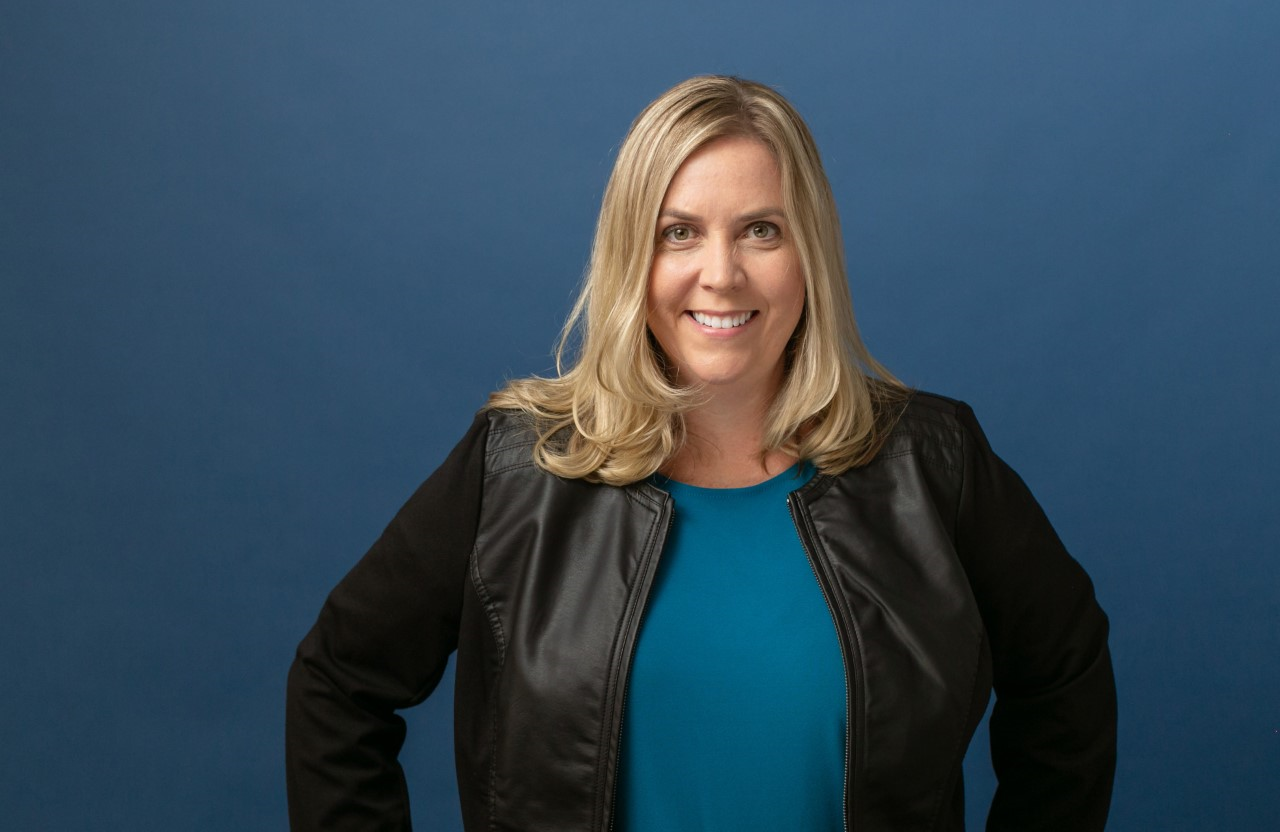
Heather Severino, Microsoft Certified Trainer, Microsoft Most Valuable Professional for Microsoft 365
Heather is an innovative, globally recognized expert trainer with over three decades of experience in the technology and learning industries. Her background includes legal, government, corporate, sports, media, and healthcare technology.
Heather helps individuals and organizations learn how to maximize productivity in the modern workplace by sharing real world experience and knowledge of applications such as Copilot, Microsoft 365, Microsoft Teams, OneNote, OneDrive, SharePoint and more. She has authored many online video courses for LinkedIn Learning and books for Microsoft.
She has been Microsoft Certified since 2006 and became a Microsoft Certified Trainer (MCT) in 2011. In 2012, Microsoft appointed her a MCT Community Lead for the United States, and she has been re-appointed in this voluntary role for the 13h consecutive year. In 2015, Microsoft honored her with the distinguished award as a Most Valuable Professional (MVP). For the 10th consecutive year, she has been re-awarded as an MVP for two categories, Copilot for Microsoft 365 and Microsoft 365.