From Prompts to Goals: How AI Now Writes Full Documents
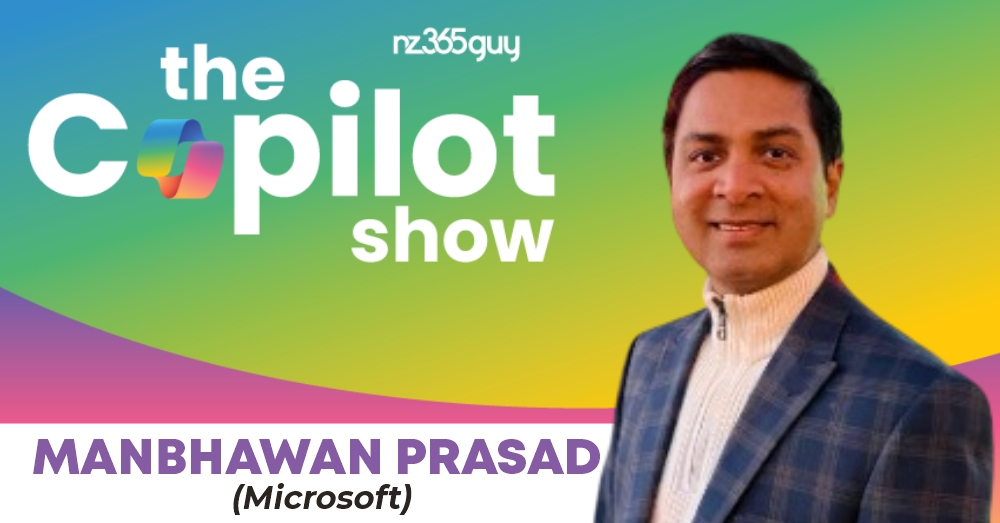
Manbhawan Prasad







From Prompts to Goals: How AI Now Writes Full Documents
Get featured on the show by leaving us a Voice Mail: https://bit.ly/MIPVM
This episode tracks how Manbhawan Prasad and the Word team are evolving Copilot from simple prompt-based help to goal-based “agent mode” that can plan and edit documents directly. You will hear practical, enterprise-focused examples: using SharePoint knowledge as authoritative context, reducing blank-page inertia, mirroring customer language from emails and meeting transcripts, and using AI as an always-on reviewer for structure, clarity, and accuracy.
👉️ Full Show Notes
https://www.microsoftinnovationpodcast.com/800
🎙️ What you’ll learn
- Shift from instruction prompts to goal-based document creation with “agent mode” in Word.
- Build a SharePoint “knowledge vault” so Copilot can draft with authoritative business context.
- Use retrieval (RAG-style grounding) to write specs and proposals from internal files, emails, chats, decks, and meetings.
- Improve proposals by mirroring a customer’s terminology pulled from email threads and meeting transcripts.
- Apply Copilot as a reviewer to spot gaps, inconsistencies, and missed requirements across long documents.
✅ Highlights
- “Creation and comprehension, that's all.”
- “We are going beyond that and we are making it unable to solve your goal.”
- “We are calling agent mode inside Word.”
- “Most of the customers' data is in either Microsoft files or SharePoint, et cetera.”
- “Use those as RAG in RAG model to kind of generate or even answer accurately.”
- “First of all, inertia is gone because it gives you a starting point right away in seconds.”
- It also sometimes brings information which you and I may not have thought of.”
- “Do you see any gaps in my communication?”
- “It can directly edit the document and it can directly, you know, create a document.”
- “The interface for every app will become natural language.”
🧰 Mentioned
- Microsoft Copilot: https://copilot.microsoft.com/
- Microsoft Copilot: https://copilot.microsoft.com/
- Microsoft Word: https://www.microsoft.com/microsoft-365/word
- SharePoint: https://www.microsoft.com/microsoft-365/sharepoint/collaboration
- PowerPoint: https://www.microsoft.com/microsoft-365/powerpoint
- Visio: https://www.microsoft.com/microsoft-365/visio
✅Keywords
copilot, microsoft word, agent mode, generative ai, sharepoint, rag, chatgpt, proposal, rfp, natural language, microsoft editor, visio
Microsoft 365 Copilot Adoption is a Microsoft Press book for leaders and consultants. It shows how to identify high-value use cases, set guardrails, enable champions, and measure impact, so Copilot sticks. Practical frameworks, checklists, and metrics you can use this month. Get the book: https://bit.ly/CopilotAdoption
I’m Mark Smith - nz365guy - Helping people reach their full potential I have been a Microsoft Business Applications MVP for over 14 years.
I am passionate about helping people reach their full potential, through training, coaching and mentorship.
Accelerate your Microsoft career with the 90 Day Mentoring Challenge (https://www.90daymc.com/)
Support the show
If you want to get in touch with me, you can message me here on LinkedIn (https://www.linkedin.com/in/nz365guy).
Thanks for listening 🚀 - Mark Smith
00:06 - Copilot’s Original Job: Create and Understand Content
02:59 - Why “Prompting” Is Now Table Stakes
04:28 - The Shift That Changes Everything: From Instructions to Goals
06:40 - Agent Mode in Word: Letting AI Write the Whole Document
08:59 - Why Enterprise Data Makes Copilot Actually Trustworthy
12:18 - Eliminating Inertia: The Hidden Productivity Killer
25:08 - The Bigger Vision: Natural Language Replaces Menus Forever
00:00:01 Mark Smith
Welcome to the copilot Show, where I interview Microsoft staff innovating with AI. I hope you will find this podcast educational and inspire you to do more with this great technology. Now, let's get on with the show. Welcome to the copilot Show. Thanks for listening. Today's guest is joining me from Dublin in Ireland.All the links for what we talk about are in the show notes for this episode. We're glad you're here. Manu, welcome.
00:00:31 Manbhawan Prasad
Thank you. Thanks for inviting me.
00:00:34 Mark Smith
Good to have you on. I'm quite excited to open the topic that we'll drill into today around Copilot and your experience and particularly the, you know, from a Word, Microsoft Word perspective in Copilot. But before we get started, tell me about food, family, and fun. Let the audience kind of get to know you outside of your day job.
00:00:53 Manbhawan Prasad
Nice, way to start. Food, family, and fun. So from food perspective, I'm A foodie. I'm very particular about what I eat. But good thing is that usually I like all the food across the world, as far as it is vegetarian, and particularly homemade food. So if you travel around and if you go to restaurants, you get different tastes, right? But if you really go and have food which is homemade, or cooked in traditional manner, that tastes completely different. And I love those. I like it. Yeah. From family perspective, I have two kids, two daughters, and I live with my wife and two daughters. Both are in school currently. Both are now big, almost going to get ready for college in a couple of years. So they are kind of hands off now. So I have all the time in the world. Nice. And that's why I'm having a lot of fun. And my idea of fun is when I'm learning something new, it's fun for me. So every year I try to learn something new. Like this year, I'm trying to get into piano. Last year it was drums. Last to last year it was sailing. This is so cool. And from tech perspective, general AI, physics, and biology. So lately I'm going very deep into genomics and genetics and those worlds.So that's the idea of fun for me, other than my long hikes in the mountains. So here you go.
00:02:38 Mark Smith
Very cool, very cool. I've been to the highest point in Dublin because there's a bar at the highest point, I think, as in one of the out. Johnny Foxes in Dublin. Yeah.
00:02:48 Manbhawan Prasad
Johnny Foxes.
00:02:49 Mark Smith
Yeah.
00:02:49 Manbhawan Prasad
Like, is it, right?
00:02:52 Mark Smith
Yeah. So I'm pretty sure that's it. Yeah. Very cool. I've spent a bit of time in Dublin. Tell me about, before we focus on the Copilot side of things, just tell me a bit about your history in Microsoft, because I understand, like me, you have spent a lot of time working in Dynamics from back in the day. So can you just give us a kind of a whistle-stop tour of your time in Microsoft?
00:03:17 Manbhawan Prasad
I started with Dynamics CRM, actually, back in 2004, when Dynamics CRM was almost trying to get hold. And it was becoming one of the fully customizable platform. And customers were using it for all kinds of scenarios, not only CRM, in all kind of domain. And then I moved on to lead product management team in Microsoft Skype. Earlier it was called Link team. If you remember those days. I do. Then we started calling it Skype for Business. After that, I spent a time in office, telemetry team, then moved on to Microsoft Video. I don't know if you have heard of that product. It's A diagramming tool which Microsoft has, and it's one of those products where users are fans, like they are, they really love that product. So I loved working on that. Met a lot of MVPs like yours and worked with them to develop that product further. And then I moved on to Dublin, worked in global team, kind of building automated translation infrastructure. Then Microsoft Word team. So I started with, in Word team, I started with editor. the proofing tools, proofing software, a lot of AI use in that particular product. Basically, I was in the Microsoft Editor browser extension team. Have you used a browser extension? Yeah. Yes. That was built by my team here. And then Copilot started. At that time, it was not even called Copilot when I started. It was just AI, generative AI. And ChatGPT had not come until then. And we have started working on integrating generative AI in Word. And I would look back since then. I have been in Word team and developing Copilot in Word. So that's me.
00:05:20 Mark Smith
Amazing, amazing. You mentioned Visio before, right? And where my Dynamics career, CRM particularly, Dynamics CRM back in the day, and Visio, I created across, I think it was CRM4 in 2011, then on to 2013 of the versions of CRM, I created a Visio stencil library of the UI for those three versions.
00:05:47 Manbhawan Prasad
Wow.
00:05:48 Mark Smith
And so it would allow you, like when you're doing a proposal, to quickly mock up, just drag and drop all, everything from the save button to the menu bars, all the layout, the whole lot. We could rapidly, as well as change the labels on anything, all of Visio to mock up a proof of concept without actually, you know, as in from a visually, just particularly for RFP documents and stuff. So you could give a client an idea of what was possible. So I personally, I have Visio installed on my computer. Now I've got a new house being built. I have taken the engineer's drawings and reproduced them all in Visio. So I can use them myself, and when I'm thinking about how, where do I want PowerPoints, lights and furniture and things like that. So yeah, I'm still a big fan of Visio.
00:06:39 Manbhawan Prasad
Nice, I'm meeting another fan now. So yeah, I know.
00:06:44 Mark Smith
Yeah, very good. So tell me. What your focus has been in the last 12 to 24 months when it comes to Copilot and Word, what are the things that are top of mind for you? What are you working on and what are you wanting to achieve?
00:06:59 Manbhawan Prasad
Look, I think our journey started with kind of integrating the generative AI in Word.And we wanted it to be very simple to start with that, hey, people should be able to create content in Word. as well as they should be able to understand the content in Word. So creation and comprehension, that's all. That's all we started with. Of course, you know, we were experimenting with other scenarios, but these were two important scenarios we started in Word. And mostly it was to get to a point where users should be able to instruct AI, and now we call Copilot, and Copilot should be able to carry out those instructions. But in the last 12 months or a little more, we have shifted our gears there. So it's not only instruction, we are trying to evolve the Copilot presence inside Word To go beyond instruction, it's not, small instruction you equip to copilot and keep copilot carry out. I think that has become a table stake. We are going beyond that and we are making it unable to solve your goal. So that you can start with a goal and, you know, copilot can think over that goal, plan the actions, and then carry out those actions. So it's no more about, hey, write one paragraph. It would be about write this document and it should be able to write the whole document.And that we are calling agent mode inside Word. And it's almost, I think, rolling out. If you haven't got it yet, you will get it soon. So it is rolling out to the general audience. So that's what we have been focused on. Mainly, of course, there are much more than that, but that's the primary thing.
00:08:59 Mark Smith
I find that interesting in that one of the things that I've done in my company over the last three months is to build a vault inside SharePoint of the knowledge of my business. And what do I mean by that? I mean, All the legal, our legal entity, right? All that type of information, all our tax information, accounting models, another folder I have all our marketing initiatives, all our operations in another folder. And I've systematically gone through the organization and I create in Word what I call canonical documents that hold the knowledge of the business. Because every time I want to use Copilot in reference to developing maybe a product line or a go-to-market strategy, et cetera. And I've just found it amazing now how Word and Copilot feed into that canonical record of information and therefore the data it's putting into the documents I'm forming is highly accurate. You know, no made-up information whatsoever. There's no hallucination or anything in it. And I'm just wondering if it's a massive gap in companies that they haven't really gone and, created this kind of the knowledge of the organization. So then tools like PowerPoint, Word, Excel, and, Copilot, and the web experience can call on that authoritative content about the business. And so I can see in what you were just describing, a high degree of accuracy in creating a document to do X, Y, or Z, maybe things that jumped to mind for me is responding to an RFP. as an example, and being able to take that RFP requirement, then all the data my organization has and been able to merge those two together into a near complete document.
00:10:58 Manbhawan Prasad
That's it. That's it. I feel that any technology, per se, to be successful, it has to go from just a toy in the corner to be really useful.So when generative AI started and when ChatGPT came, At that time, it was like, it was so exciting that, it could do things like humans can do it, can respond like humans. And that was so exciting. The whole world got excited. We can see the growth of ChatGPT, the rapid growth. But when it's shown, you start asking questions that, how can I use it to help me in my day-to-day work, right? And that's what you are currently explaining, that Microsoft is in this unique position where most of the customers' data is in either Microsoft files or SharePoint, et cetera, where it can really use those as RAG in RAG model to kind of generate or even answer accurately, which is really useful in enterprises and in commercial domains. If we see the vanilla LLM, they are very good at whatever knowledge we have on Internet. But if I'm working in a company like me, if I'm writing a spec, It doesn't have any knowledge on that topic for that project, right? So now we have come to a point where I can see that, hey, reference that particular spec of mine, which I wrote six months earlier or last month, and write this spec with the same structure for this particular project.
00:13:06 Mark Smith
Yes.
00:13:06 Manbhawan Prasad
And refer to all my emails and chats and PowerPoint decks and meetings. And here it goes. it does that, right? And it saves me many hours of work. And that's a very small example, right? But that's where I think Copilot is going right now.
00:13:27 Mark Smith
Yeah. I want to come in a moment to what your customers, what are you hearing feedback from the field, et cetera, particularly around Copilot and Word, but. You just mentioned there, accessing the...information that's in your emails, et cetera. And what I have found very interesting is that in responding, let's say creating a proposal to go back to a customer, the language people use in their emails is kind of like the language of their organization or the terminology they use. And one of the most powerful things I've been able to do is being able to mirror their language in the context of my proposal back to them. And the feedback I've had from customers is that you get me, you got us, you understood us. And what I was doing was using, rather than pivoting to perhaps words or phrases to explain something that I would use, I would reflect back their own ones with the assistance of Copilot, extracted from those e-mail conversations and even team meeting transcripts And I don't know, it somehow created a much higher bond connection, et cetera, with the customer because I was using their language and how I responded to them formally in those proposals.
00:14:45 Manbhawan Prasad
Yeah, and that's so powerful, right? Sometimes it feels that it's basic thing. Anyway, AI should be able to do that. But think about when you are starting to write a proposal. First thing that, first thing is inertia kicks in. where should I start?What should be the first sentence, what should be the first section, Then, how do I format it? How do I, like, as you said, what language I should use, what information I should put in? There are a lot of first is inertia, and then there are a lot of real work that goes into that proposal creation, or for any kind of serious document creation. And when we use Copilot, it seems like, first of all, inertia is gone because it gives you a starting point right away in seconds. And it also sometimes brings information which you and I may not have thought of. It may have been lying in some corner and it was not in our brain. And those things are real value add. In addition to, of course, time saving, rather than, a few hours, I could create a document in a few minutes. So other than time saving, those are the benefits I love the most.
00:16:14 Mark Smith
I think for me also is the quality of what you can create. And, you know, we're focusing here on Word, but I've been able to go completed a Word document, let's say it's 35 plus pages in length, and be able to go, I want you to just take a holistic, you know, prompt it, just take a holistic view across this document. Do you see any gaps in my communication? Do you see any, did I admit anything that they explicitly asked for and I've admitted it? You know, in the amount of times it's pulled up things that would have been gotchas, or slow down an engagement with a customer because it can just take that fresh eyes, look at something that you've written and know where it can be improved or know where you've got gaps.And really, so you end up producing something that is robust, it stands up, it's solid in what it could do, which I would probably, you know how you have a blindness to your own errors? You don't see them, like for me, I'm dyslexic, so spelling is an issue, grammar is often an issue. It's been life-changing for me in how it works because of its ability to, in my weaknesses, to extend beyond them. And so therefore portray, you know, not highlight my weaknesses, but really enhance them with that kind of view and knowledge.
00:17:41 Manbhawan Prasad
Yeah, it's almost like somebody sitting beside you and me, of course. and helping, Yeah.
00:17:50 Mark Smith
So that's one of the key features. And perhaps you can unpack this is the editor type feature. In other words, you can have a writer and editor, and I've become very familiar with this with work last year writing a book for Microsoft Press on Copilot adoption. And it was one thing to write, but then you've got this whole team of editors that go through and one's looking for technical accuracy, one's looking for dramatic accuracy, one is looking for, is the story flowing? You've got all these editors in place. In Word, how do you think of, if you like, the AI editor in the mix, like where it can look at everything from formatting, oh, you used an H1, you know, heading level 1 here, but then you broke your consistency and went to H2, where this was a major, if you look at the architecture of a document, You've made these, like, how do you think about that in regards to Word and AI and Copilot?
00:18:50 Manbhawan Prasad
Yeah, those are one of the top most scenarios which we are focusing on currently. And I would invite you to try agent in Word, which is now there inside the chat pane. And you should try different kind of prompts, like, You can try, hey, can you review this particular document? This document is for so-and-so and audience is so-and-so. Can you review it from the language perspective? And it should be able to give you quite thorough critiques or the feedback about the language. And not only that, it should be able to fix those as well. Similarly, you can ask it that, hey, here are a few files where facts and information are there. Based on those, can you go and review this content for accuracy that, you know, all the information are correct or not? And of course, you know, as you know, that it's all based on LLM. So sometimes it may not go and, you know, detect 100% of errors but it will go and do most of it, which is so helpful. So definitely, those are some of the scenarios which we have in our mind for sure.
00:20:08 Mark Smith
When you get feedback from customers around the world, what are some of their big asks that are not necessarily in the product yet, but what are you hearing from the market that they would like Word and Copilot to do together?
00:20:21 Manbhawan Prasad
Look, I think when we started Copilot in Word, And if you have, I think you have been an every user yourself, so you have come along the journey. So when we started our presence for Copilot was majority of presence was on the canvas. You can select something and you can say, hey, rewrite this or generate more content based on this, or convert it into the table, into a table, or convert it into a list. those kind of prompts you could give, and of course, you could get a summary of the document, et cetera, et cetera. Very soon, we started hearing from customers that, hey, they would like it to be more conversational, right? And that's when we were anyway building chat. So we brought chat to Word, but chat was not directly editing the document, even when user asked. So that became one of the biggest asks that, hey, I asked it to add a paragraph. It should add a paragraph. It should not just give me a paragraph in the chat pane.Or if I ask them that, hey, format and structure this document, it should do that. And that's what we, heard our customers and that's what we have built with Agent. It can not only give you suggestions and, generate content in chat for you to copy paste. It can directly edit the document and it can directly, you know, create a document.
00:21:52 Mark Smith
You know, when you look at Word, I don't know how many, it's almost 30 years, I think Word's been around, is it? It's been around a long time.
00:21:58 Manbhawan Prasad
More than 40 years.
00:22:00 Mark Smith
Yeah. And so when you look at that product, definitely more than 30 years. I've been 30 years in IT. It's 40 years.
00:22:07 Manbhawan Prasad
We celebrated 40th birthday. So it's more than 40 years. Yeah.
00:22:12 Mark Smith
So over time, probably thousands of features were introduced. Maybe not as many as Excel, but thousands of features have been introduced. And I think the same thing about PowerPoint. You see PowerPoint in the hands of a master PowerPoint person and there's a few MVPs now. When they do a PowerPoint, it's like you're watching a movie. And you're like, how do you just do this in PowerPoint? And they're just using the functionality in PowerPoint that's been built over a long time. Word's similar, right? It has a lot of features, et cetera, that have been built over time. What I'm surprised is I would have thought there would have been ability to, if you like, train Copilot on every single feature that Word does. And then being able to, make some type of prompt and go, Hey, you look at this pro, this document, knowing all the skills that you have, and let's say we called a skill a feature in the product, how much better could it be? You know, whether it's like this is the best type of table of contents to put in, this is how we should be referencing, doing it, you know, automating all those kind of structural amazing features that are in Word, and you know, like what I'm getting at back in the day, I was part of a training company. my first foray into IT, right? This was 30 odd years ago. And we would teach word beginner, word intermediate, word advanced. Most people, word beginner is all they needed in their career, right? When you got to intermediate, it was those people that were like heavily in it. They were, it was their entire day job working in Word documents. And the delta you could give them through that training was was massive for them, but the beginners would never need it, and that advanced was next level. I feel that there's all these features in Word, and where people are using, let's say, 10% of what Word could do for them. What about the other 90% that you could now expose, you know, with Copilot and turn average Word artifacts into the best they could possibly be? You couldn't do them better. Are you thinking about that entire tool set that you have available to you and how you bring that to life in a way that people don't have to go and read the manual on Word to use?
00:24:34 Manbhawan Prasad
Oh, I think you are sure nailing the point here, Mark. I feel the biggest revolution generative AI has brought in is it has given the computers a language, a natural language. Just like human, when humans got language and they started communicating with each other, the whole of world changed for good. All of a sudden, a lot of productivity gains came and the same thing has happened with generative AI. It has given machine a natural language with whom humans can communicate. with the machines. And that single change has to get adopted at every level, at operating system level, at application level. And in future, I feel, that's my hypothesis, the interface for every app will become natural language. It won't be buttons, it won't be menus, as you were saying, it won't be hidden. behind some menu with some cryptic words which they have to get dreaming from Mark, to use that. It has to come in front and you just should be able to do all those things with natural language. Like they should be able to say that, hey, give me a read-only link for this document so that I can share it on my e-mail. share this document with Mark and make sure that it is read one day and send him an e-mail. It should be able to do all those things, right? So look, it's all a stepwise process. As you know, in product, we have like so many things to do that we need to prioritize and we will subsequently get to all these things, but that's the future I think we are talking about. Yeah.
00:26:41 Mark Smith
Manu, thank you so much for coming on. It's been interesting talking to you, and I look forward to a repeat maybe in 12 months' time and see how much things have changed.
00:26:50 Manbhawan Prasad
Sure. Thanks, Mark. It was very nice talking to you. Thank you.
00:26:54 Mark Smith
Hey, thanks for listening. I'm your host, Mark Smith, otherwise known as the nz365guy. Is there a guest you would like to see on the show from Microsoft? Please message me on LinkedIn and I'll see what I can do. Final question for you. How will you create with Copilot today? Kakite.

Manbhawan Prasad is a Principal Product Manager at Microsoft, where he leads innovation for Word Copilot. A key architect of the "in-flow" AI experience, Manbhawan focuses on bringing Copilot directly onto the Word canvas to help users create, edit, and transform content without breaking their creative momentum.
With deep expertise in generative orchestration and the "Work IQ" layer, he is at the forefront of evolving Copilot from a sidebar assistant into a seamless, context-aware partner. On today’s podcast, he’ll be sharing insights on the transition toward agentic AI, and the future of intelligent document creation within Microsoft 365.