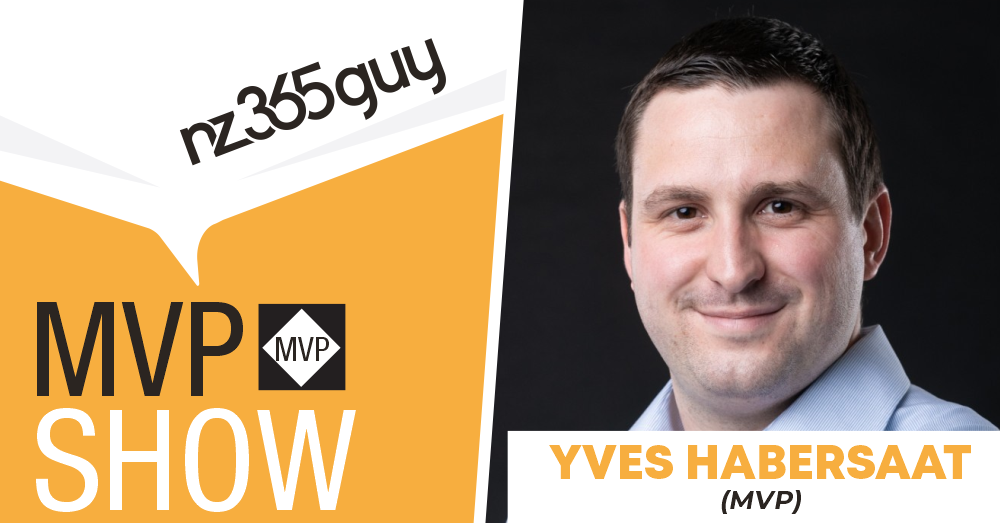
How to Actually Get Value from Copilot at Work
Yves Habersaat
Microsoft MVP







How to Actually Get Value from Copilot at Work
Get featured on the show by leaving us a Voice Mail: https://bit.ly/MIPVM
This episode explores how organisations can move from AI curiosity to real value using Microsoft Copilot and agents, drawing on practical insights from Yves Habersaat. The conversation focuses on adoption that starts where people already work, keeps early use cases simple, and scales only when the need is clear. It also covers real-world agent scenarios, model choice, and why low-code tools are often enough to deliver results quickly.
👉 Full Show Notes
https://www.microsoftinnovationpodcast.com/803
🎙️ What you’ll learn
- How to introduce Copilot in tools teams already use every day
- Why Teams is often the fastest way to see AI value
- When simple agents are enough and when custom builds make sense
- How to approach agent design without overengineering
- Why understanding the use case matters more than the tool choice
🔴 Highlights
- “A lot of customers want to try concretely what is AI.”
- “They want to use AI in the day-to-day basis.”
- “Teams is a really good entry point.”
- “You can have concrete results without spending a lot of time.”
- “Keep it simple at the beginning.”
- “After, you add more complexity and more logic.”
- “Copilot Studio has evolved a lot.”
- “You need to understand the use case first.”
🧰 Mentioned
- Microsoft Copilot - https://copilot.microsoft.com/
- Agent SDK (Microsoft 365 Agents SDK) - https://learn.microsoft.com/microsoft-365/agents-sdk/
- Azure AI Foundry - https://ai.azure.com/
- Azure - https://azure.microsoft.com/
- ChatGPT - https://chat.openai.com/
- Microsoft MVP YouTube Series - How to Become a Microsoft MVP - https://www.youtube.com/playlist?list=PLzf0yupPbVkqdRJDPVE4PtTlm6quDhiu7
✅ Keywords
microsoft copilot, ai agents, copilot studio, microsoft teams, azure ai, agent sdk, ai adoption, prompting, enterprise ai, ai workflows, low code ai, applied ai
Microsoft 365 Copilot Adoption is a Microsoft Press book for leaders and consultants. It shows how to identify high-value use cases, set guardrails, enable champions, and measure impact, so Copilot sticks. Practical frameworks, checklists, and metrics you can use this month. Get the book: https://bit.ly/CopilotAdoption
I’m Mark Smith - nz365guy - Helping people reach their full potential
I have been a Microsoft Business Applications MVP for over 14 years. I am passionate about helping people reach their full potential, through training, coaching and mentorship.
Accelerate your Microsoft career with the 90 Day Mentoring Challenge (https://www.90daymc.com/)
Support the show
If you want to get in touch with me, you can message me here on Linkedin (https://www.linkedin.com/in/nz365guy).
Thanks for listening 🚀 - Mark Smith
02:44 - From AI Curiosity to Real Customer Demand
04:51 - Why Microsoft Teams Is the Best Place to Start with Copilot
07:37 - A Practical First AI Agent: Automating Meeting Minutes
09:16 - The Golden Rule of Agents: Start Simple, Then Scale
11:20 - Why Model Choice Matters More Than Most People Think
13:40 - Copilot Studio vs Code: Choosing the Right Build Path
20:37 - AI Beyond Work: Summarisation as a Daily Superpower
00:00:06 Mark Smith
Welcome to the MVP show. My intention is that you listen to the stories of these MVP guests and are inspired to become an MVP and bring value to the world through your skills. If you have not checked it out already, I do a YouTube series called How to Become an MVP. The link is in the show notes. With that, Let's get on with the show. Welcome back to the MVP Show. Today's guest is from Switzerland. Yves, welcome to the show.
00:00:41 Yves Habersaat
Thanks, Mark. And thanks for having me in this show today.
00:00:45 Mark Smith
My pleasure, my pleasure. Before we get started, now just as a sidebar, my neighbor is Swiss. And her children often go back to Switzerland. for the holidays and their father was just out. So I feel very close to Switzerland all the time here in New Zealand. But before we get started, tell me a bit about food, family and fun.
00:01:10 Yves Habersaat
I love food because in Switzerland we have pretty good restaurants. So basically my favorite kind of food is like French food, you see, this kind of thing. And I love food because also I'm traveling a lot to make some conference.I'm always trying to visit the best restaurants around the city I visit. So last week I was in Tallinn, Estonia. So I enjoyed some really good restaurants there. So it was good. And in terms of family, I have a girlfriend and we have a dog also. And in terms of fun, because we are in the winter season in Switzerland, so I will tell Ski because I'm I love doing ski and go to the mountains and have some fun. And in the summertime, it's different because there is no snow. But I'm living close to a lake. So basically, I'm going to meet some friends at the lakeside, to be honest.
00:02:12 Mark Smith
Very nice. Very nice. I've been to Switzerland. Love the country. Very, very nice. Tell me What's top of mind for you right now? What's your focus as we go into 2026? And you look at the year ahead, kind of what are you focusing on and what are you thinking about after, particularly in the AI space after, you know, 2025, we've come quite a way, but what are you seeing from your perspective?
00:02:44 Yves Habersaat
It's a good question because in my perspective, last year was the, for a lot of customers was the beginning of AI, you see. It was a little bit quiet in Switzerland in terms of customer requests, this kind of thing. It was really quiet because a lot of people, a lot of customers were migrating from on-premises to the cloud because in Switzerland it's slow because you see we have some rules because we have some banks, some company like this, and it's always hard to start the migration. But Since the beginning of this year, a lot of customers want to make the switch to the AI. So basically they migrate, they have migrated to M365, Azure, these kind of things. And now they want to invest a lot on what they have done so far. So they want to buy some copilot license and they want to try a little bit of agent creation, this kind of thing. So they want to try concretely to be honest, concretely, what is AI in the context of Microsoft world, these kind of things. So this is what I see now. A lot of customers are asking me, I need some training on M3C5 Copilot. I want to have some training of how to make a good prompt, how to create agents, how to concretely use AI in the day-to-day basis, you see.
00:04:12 Mark Smith
Yeah, interesting, interesting. When you look at the use of Copilot, how do you typically, you know, start off those conversations with customers, particularly about prompting and even using it more broadly, not just in the web interface, but maybe on their mobile or maybe also in things like Word, XL, PowerPoint, Outlook, those type of things. What are you seeing people use more or less? What do you advise people, first of all?
00:04:51 Yves Habersaat
To be honest, one of the best use cases I can have, because a lot of people are using Microsoft Teams. And basically, myself, when I got the Copilot license from my company, to be honest, the first product where I used Copilot a lot was Teams, to be honest, to make some Basic stuff like how to create a minute report from a customer meeting, this kind of thing, and when I see some customer, I recommend to start using inside a tool that they are using. like every day, it's teams because you always meet some partners for teams in a remote way. And basically, this is a really good use case to start using Copilot because my customers are always asking me, okay, I have my license, so what to do next? And basically, this is a really good example of how to have some concrete results without spending a lot of time to make some big prompt or agents, this kind of stuff. So you can have create results without spending a lot of time to make the stuff working, you see? And in my day-to-day basic, I have some pre-made prompts to make by minute reports for my customer, and it's working pretty well, to be honest, nowadays. So this is an example of a good use case that I love to present to my customer because they are always using Teams. This is a good entry point. But after, yes, you have also the office show, this kind of thing. But to be honest, in the office world, like Word, Excel, PowerPoint, I don't see many requests, to be honest. And maybe it's underestimated, maybe, because in Word, you can do a lot of great things. Because in my opinion, I made some great document or great offer for customer using Copilot in Word, for example. in terms of formatting, in terms of rephrasing global offers, these kind of things. But to be honest, in a customer point of view, there is no specific request for this kind of integration, to be honest.
00:07:10 Mark Smith
Interesting. Interesting that, yeah, that you're not seeing it across the other app estates. Tell me about the agent side of things. What are you seeing in that side? Like, what are the typical first three to five agents an organization looks to build, or what do you encourage or advise them on? What's your experience with agent creation? And what are the kind of best use cases that you're seeing at the moment around agents?
00:07:37 Yves Habersaat
I have a good one because this is a use case I'm working on these days. I can tell concretely what is behind it. It's a customer that want to to generate meeting minutes in a Word format. They have a specific template in Word, basically, and they want to extract key information from the team's transcript and populate the template with many roles. You see, they have company roles in terms of minutes writing, in terms of like, OK, in terms of participants, people wasn't in the meeting. And in terms of you have a table with different kind of action, action, decision, information, these kind of things. And they want to populate automatically after a meeting this template, and it will be uploaded in OneDrive. So the organizer OneDrive, so basically, after the meeting, the organizer Call the agent and put the team's join link, basically, and after the agent will create everything and put the output document in the organizer OneDrive. It's a use case I'm working on, and basically, tomorrow, I will have a meeting to present the first version of this agent, to be honest.
00:09:06 Mark Smith
Awesome, awesome. Okay, so this is good. When you say call the agent, are you adding the agent as a participant in the team meeting?
00:09:16 Yves Habersaat
Not the first version, but actually, the agent is pretty simple. This is the organizer. The organizer will call the agent like, okay, he will chat with the agent first. But at the end, the goal is when the meeting finished, the agent will be called automatically. And basically will send a notification to the organizer, OK, you have the meeting minutes document ready in your drive, here is the link. And that's it. But in all my projects, the best advice I can tell to a lot of people is, Keep it simple at the beginning and after you add more and more complexity logic and it will be good because you need to be really simple at the beginning and you iterate and to add more complexity, but basically you will get some feedback also from the customer. And this is a really good way to at the end have a really good product in terms of AI agent and this kind of stuff. This is based on my experience, and what I see on the field is really like that. Keep it simple at the beginning, and after, you add complexity and more logic.
00:10:34 Mark Smith
In the most recent updates that Microsoft have made with Copilot, what are your kind of favorite new things that have come out?
00:10:46 Yves Habersaat
To be honest, there is plenty of new features because when I see the first Copilot release, when it was like maybe two years ago, it was like, wow, it's really simple. But now, to be honest, what I see in terms of, in my opinion, in terms of capability is to to be honest, the way of using different kind of model behind the scene. So Microsoft has a little bit open his system to take advantage of different model like Cloud, for example, which is a really good model because as a developer, I'm using Cloud Code, for example. And what I see is it's a great opportunity at this point to take advantage of different kind of model except OpenAI because OpenAI was the first model to be used in Copilot. But now you can use Claude and basically behind the scene, okay, from a end user point of view, it's nothing. But basically some AI model are much better in terms of, for example, visual analysis, these kind of things, or maybe some summarization, this kind of stuff. You can take advantage of different models. And what I see is Microsoft is opening a lot the ecosystem. And also, for example, in Copilot Studio, you can use multiple models from Foundry now. And basically, what I see is it's a really great ecosystem, and you can use the best model for your needs. So now this is what I see. It's technical, but in my opinion, it's a really, really good ad in terms of Copilot features.
00:12:36 Mark Smith
When you're making agents, are you typically starting in AI Studio, or are you going to Azure AI Foundry and building direct there? Like, what's your preference? Do you refer to jump into code and get into VS Code, build out there, maybe using GitHub Copilot, things like that, or do you prefer to start with Copilot Studio?
00:13:06 Yves Habersaat
It's a good question because it was the topic of my conference in Tallinn, Estonia last week. And a lot of people are asking, okay, do you use Foundry, Copilot Studio, different products? The answer is not based on, okay, I have some preference because basically nowadays, Copilot Studio has evolved A lot. And basically now you can create agents in two days. You can have a ready to use agent with some advanced integration with APIs, these kind of things, with Copilot Studio. But the answer, if you want to take the good path, is always to understand the use case first. And when you understand and you qualify the use case, if it's a simple, you see medium use case without any big integration, when it's really simple, Agent Builder, Copilot Studio Lite now, this is a new name, or Copilot Studio will do the job perfectly without any problem. But when you have some advanced scenarios, when you need, technically, when you need to customize a little bit the orchestrator, because when you are doing some code and you code agent, like, for example, with the agent SDK, when you are using orchestrator like semantic kernel, a long chain, agent framework from Microsoft recently, you can customize pretty everything. The orchestrator can be customized, you can create some advanced workflows, the behavior can be customized. And also in terms of scalability, when you have a lot of people that are using your agent, at some point, Copilot Studio will be limited. And basically when you host your agent in Azure, you can take advantage of all the Azure Stack, like auto scaling, these kind of things. But it's really, I think it's really for use case that required a big level of customization. But nowadays, if you want to build agent quickly and with a level of abstraction like the low code can provide you Copilot Studio full version and light will do the job perfectly, to be honest. And this is what I really love Copilot Studio, because Copilot Studio for me is in the past when you got Power Virtual Agents in the past, wow, what I see now, it's a really good product now. They have They have made investment in a lot of different aspects. And for me, Copilot Studio is one of the entry points that we need to consider now to build the agent.
00:16:01 Mark Smith
For us to look at your setup, what other subscriptions do you have, like outside of Microsoft ecosystem for AI tools?
00:16:10 Yves Habersaat
I have ChatGPT Premium. I have ChatGPT Premium, Perpexity also.If you know what is it, it's a really good AI tool. And basically, this is the tool I have.
00:16:21 Mark Smith
And nothing on Claude? You don't have a Claude subscription.
00:16:25 Yves Habersaat
No, no, no, because to be honest, I'm using Claude, but no, I don't have the Claude subscription, but I have to be honest, I have a Foundry subscription and I'm deploying some models and I have It's a homemade development. I have some web chat, and I can switch to the model I want, you see? I've developed for myself a web chat, and I can switch to any model. So basically, I don't have any cloud subscription, but I can take advantage of the Foundry models I've deployed. So Deepsea, this kind of thing. So I just made a connection with the Agent SDK.
00:17:09 Mark Smith
Let me just feedback to you what I think I heard you say. So you've created your own web interface over Azure, and then you pull whatever model you want to use in your own tailored interface. Wow, that's very cool. Do you pre-prime it with custom instructions?
00:17:28 Yves Habersaat
Not really big, but yes, a little bit. Because, for example, yeah, yeah, yeah, it's cool, and I've used the... Agent SDK from Microsoft, this kind of thing. And to be honest, it's really good because it's a homemade development, so I can control everything. I can do what I want in terms of features, this kind of thing. But it was just a challenge of mine, like, OK, you have Foundry, but I just want to understand. And it was also a good way to learn also all the new SDK, what are the capabilities, the limitation. And to be honest, I was like sometimes I was on some bugs, like for nights, during the nights, I was like, I just want to make it work. And basically, it works, it works. And also, this is a good thing because all this stuff I've made with this kind of, okay, for some people, it's crazy because I've made my own web interface to Foundry, but a lot of people are asking me, what is the output? To balance the output, the result of this, and one of the results was I've learned a lot about Microsoft SDK, and basically I have created a lot of GitHub issues regarding all of this SDK, and to be honest, Microsoft... make me give me some shout out on. Yeah, you raise a lot of different tickets. So basically you used a lot this SDK. So thank you for that. And I don't know on GitHub I raised like, to be honest, maybe, I don't know, but maybe 200 issues on agent SDK, this kind of thing. So it was big. It was big. And but it was really interesting to do that, to do this path. It was a challenge of mine. I started with AI service. Azure AI service was introduced. Now it's Foundry. But at the beginning, it was like maybe two years ago, like this.
00:19:36 Mark Smith
This is very cool. I like this. I like this. Tell me about, do you have any personal uses of AI outside of work? Do you Is there things that you use in your personal life or tools that you use, AI tools that you use in personal life or use cases that you have in your personal life that's not necessarily part of what you do for work?
00:20:03 Yves Habersaat
To summarize all my e-mail from my inbox, to be honest, to be honest, I started my career not in the Microsoft world, in the Apple world. So I have an iPhone and basically when When Apple Intelligence was introduced, I was like, hmm, interesting. And basically, now I'm using a little bit of all this feature on a day-to-day basis, because when you have a lot of e-mail, like it could be personal e-mail, because I'm also part of a lot of different groups, because I'm doing a lot of conference, meetup, this kind of thing. So I have a different kind of e-mail, and to be honest, have a summarization a quick summarization of all the e-mail and maybe have a quick look of what are the topic and maybe the prioritization of my e-mail is good stuff because you have the widget on your iPhone and you see, okay, it's not really important now, I can't stay on my work. So I don't know, e-mail summarization for me is in my personal aspect is really interesting, but also to be honest, all the things regarding summarization of conversation, like, for example, in WhatsApp, this kind of thing, to find things that were sent like one year ago about a conference, about the files, this kind of thing. So for me, in terms of searching, to be honest, searching some specific keywords, some specific information, to be honest, was a revolution now because you can find easily some stuff. And in the past, it was like the keyword search was like, I want to do that. Okay, it's not working, no result, this kind of thing. Now, the AI can search, crawl over a lot of different data source and basically give you the right results.
00:22:07 Mark Smith
Very cool. I like this. Very interesting talk to you, Yves. Thank you so much for coming on the show.
00:22:13 Yves Habersaat
Thanks, Mark, and maybe see you soon.
00:22:22 Mark Smith
Hey, thanks for listening. I'm your host, Business Application MVP Mark Smith, otherwise known as the nz365guy. If you like the show and want to be a supporter, check out buymeacoffee.com forward slash nz365guy. Thanks again and see you next time.

Consultant & AI Tech Lead
Yves Habersaat is a Business Applications Consultant and AI Tech Lead at Sword Group in Switzerland, specializing in building applications and solutions with Microsoft 365, Azure, Dynamics 365, and the Power Platform.
With a strong passion for modern development technologies and application lifecycles, Yves focuses on Microsoft 365 services such as Microsoft Teams, SharePoint Online, OneDrive for Business, Microsoft Viva, and Microsoft Copilot. He possesses expertise in modern development tools including SharePoint Framework (SPFx), Teams SDK, Microsoft Graph, Git, TypeScript, React, Visual Studio, and Azure DevOps.
He actively shares his knowledge and experience through speaking engagements and his blog at www.yhabersaat.ch, always ready to support and assist the community.